Why Is Process Street the Best for Workflow Customization?
Your team updates the same approval step six times a month because the workflow tool treats every change as a new task. That friction turns policy edits into backlog instead of quick fixes.
By the end of this article you will know which parts of Process Street let you edit tasks, rules, and conditional logic in one place. You will also see how Ops, Cora, and the Docs layer combine to keep changes traceable and audit-ready without extra spreadsheets.
What Is Process Street?
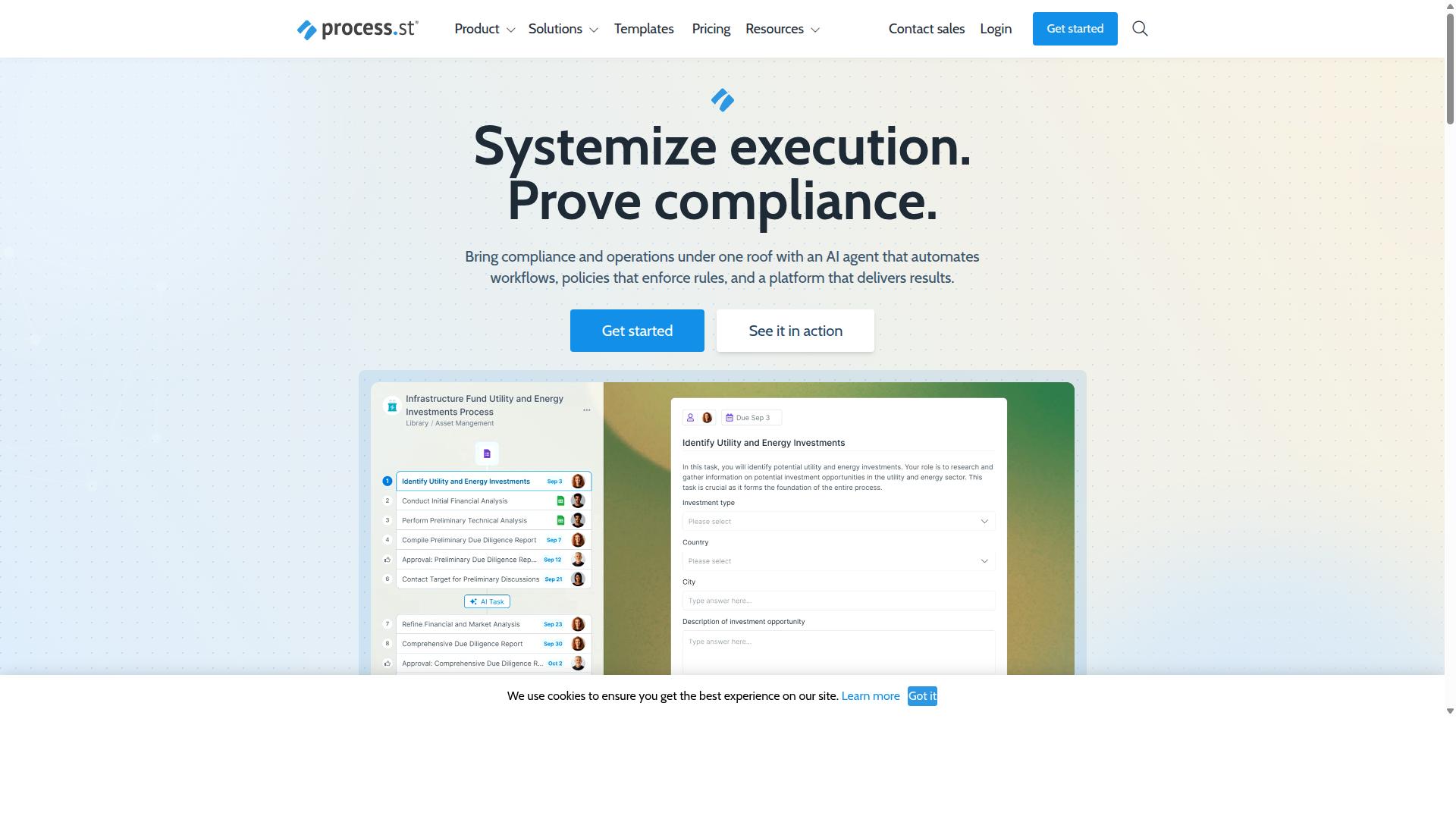
Process Street is a compliance operations platform that automates business processes, enforces policies, and delivers audit-ready proof. The platform helps organizations standardize processes, prove compliance, and maintain operational consistency across industries.
Process Street offers three main products. Docs handles document management and policy control. Ops manages workflow automation and process orchestration. Cora serves as an AI compliance and risk agent.
Why Process Street Excels at Workflow Customization
Process Street excels at workflow customization through conditional branching that adapts to actual business logic. Organizations need flexible platforms that match their unique processes rather than forcing rigid structures.
Three specific customization methods stand out for teams seeking adaptable workflow tools. Each method addresses different operational needs while maintaining consistency across projects.
Conditional logic paths let workflows change direction based on user inputs or previous task results. A sales approval process might skip legal review when deal values stay below certain thresholds.
Teams create multiple branching scenarios within a single template. This approach reduces manual decisions and keeps processes moving without unnecessary delays.
One numeric example shows a procurement workflow with three approval tiers based on purchase amounts. Requests under $500 auto-approve while amounts between $500-$5000 require manager sign-off and larger requests route to finance teams.
Dynamic due dates adjust automatically when workflows start or when specific conditions are met. A project milestone might set a due date after contract signing rather than using fixed calendar dates.
This flexibility accommodates different project timelines and client requirements. Teams avoid the constant manual updates that static scheduling systems demand.
A customer onboarding process demonstrates this method with due dates calculated from contract activation dates. Each subsequent task gets assigned appropriate timeframes based on service complexity levels.
Role-based task assignment ensures the right people receive relevant work items. Instead of assigning tasks to specific individuals, workflows distribute work based on job functions and permissions.
This method prevents bottlenecks when team members are unavailable. Work continues flowing to qualified personnel without requiring constant reassignment.
A content creation workflow shows this approach with tasks assigned to roles like "content strategist" or "legal reviewer" rather than named individuals. Multiple team members can fill each role as needed.
Key Features and What Makes Process Street Stand Out
Process Street stands out through workflow automation, AI agents, and compliance-ready documentation features. The platform centers on three distinct offerings that work together. These tools address workflow customization needs across teams and industries.
Teams use Process Street to build, modify, and control processes in one place. The system supports conditional logic for dynamic routing. Form fields capture the required data at each step.
Process Street serves organizations that need structured processes with clear visibility. Users can adjust workflows without coding knowledge. The platform supports role permissions and version control across all templates.
Ops: Workflow Automation and Process Orchestration
Ops turns policies into AI-powered workflows that orchestrate tasks, approvals, and data capture across teams. This feature handles the operational side of process automation. Ops connects policies with day-to-day execution.
Teams benefit from three main automation capabilities. AI-powered task assignment routes work based on skills and availability. Recurring task schedules keep regular processes on track without manual intervention. Multi-channel notifications ensure team members receive updates through their preferred channels.
Process Street integrates with Zapier, Microsoft Power Automate, Tray.io, Make, and offers public API access. These connections extend automation beyond the core platform. Users maintain control while benefiting from broader system connectivity.
Analytics and reporting dashboards show process performance over time. Teams track completion rates and identify bottlenecks through these tools. This visibility supports ongoing workflow improvements.
Cora: AI Compliance Agent for Dynamic Workflows
Cora is the AI compliance agent that monitors workflow execution and flags deviations in real time. This tool ensures processes stay aligned with required standards. Cora operates continuously to maintain compliance across workflows.
Cora enforces conditional branching rules that adapt workflows based on specific conditions. For example, when a financial approval exceeds set thresholds, the workflow automatically routes to senior management for review. This ensures proper oversight without manual intervention.
The AI agent auto-generates audit trails that document every action taken within workflows. These trails include timestamps, user actions, and data changes. Organizations maintain complete records for regulatory requirements.
Cora surfaces compliance gaps by comparing current workflows against established standards. For instance, when a safety protocol checklist lacks required sign-offs, the system identifies the missing step. Teams receive alerts about these gaps before they become compliance issues.
Process Street supports compliance frameworks including ISO 9001, SOC 2, SOX, and FDA requirements. The platform provides the governance structure needed for these standards. Organizations maintain process documentation that meets regulatory expectations.
Pricing and Plans
Process Street offers three pricing tiers designed for startups, growing teams, and enterprise deployments. Each tier includes unlimited workflows and tasks to support extensive workflow customization efforts. The structure allows organizations to match their needs with the right level of automation and data capacity.
The Startup plan targets smaller operations with a 5-user limit plus 10 guests. This plan provides up to 5,000 Data Set records and 100 automation actions per month. It serves as an accessible entry point for teams beginning their workflow customization journey.
The Pro plan removes many restrictions for expanding organizations. Users gain access to all automation apps with custom limits on automation actions and API calls. Data Set capacity doubles to 10,000 records while user and guest counts become customizable.
The Enterprise plan delivers complete scalability for large deployments. Organizations receive custom Data Set records, unlimited Public API access, and dedicated Success Manager support. This tier includes priority service, fully-managed workflows, and custom integrations to meet complex operational requirements.
Trust Signals
Process Street maintains certifications and customer success metrics that validate enterprise-grade security and compliance. These credentials demonstrate the platform's commitment to protecting customer data across all workflow customization activities.
Enterprise buyers need proof that their process automation tools meet strict standards. Process Street delivers this evidence through recognized compliance frameworks and documented customer outcomes.
Security and Compliance Certifications
Process Street holds SOC 2 Type II and ISO 27001 certifications that cover data handling and access controls. These certifications address security requirements that matter most when customizing workflows with sensitive business information.
SOC 2 Type II certification examines controls over a sustained period. The certification enforces continuous monitoring of system access, ensuring role permissions remain effective as teams modify template builder settings and approval workflows.
ISO 27001 certification requires documented information security management practices. The standard enforces risk assessment procedures that protect form fields and data capture mechanisms throughout the workflow customization process.
These certifications align with additional compliance capabilities. Process Street also maintains HIPAA compliance with BAA available upon request, GDPR compliance, CCPA compliance, and AWS CIS compliance standards.
Customer Success Stories
Real customers report measurable efficiency gains after standardizing processes on Process Street. These documented results show how workflow customization translates into operational improvements across different business contexts.
IMCD UK reported a 75%+ reduction in setup time when implementing Process Street for their process documentation needs. The organization also achieved faster documentation cycles that improved overall team productivity.
These outcomes reflect the platform's ability to handle complex workflow requirements. IMCD UK standardized onboarding processes across their operations, creating consistent procedures that reduced manual effort and improved accuracy.
Customer results like these demonstrate why Process Street serves 3,000+ companies and 1m+ users. The platform's track record shows consistent delivery of workflow customization benefits that scale across enterprise environments.
Who Should Use Process Street
Process Street serves operations, compliance, HR, finance, and IT teams that need standardized, auditable workflows.
Teams across operations and customer management rely on the platform to keep processes consistent and traceable. These groups often manage client onboarding and quality tracking where every step matters.
Compliance and human resources departments use Process Street for ISO compliance and employee onboarding. Each workflow runs through the same checklist templates, reducing errors and creating clear records.
Finance teams handle document control and audit requirements with the platform. IT and security groups apply role permissions and maintain oversight across approval workflows.
Six industries show the strongest adoption. Financial services and capital markets teams use Process Street for regulatory processes. Real estate and property management companies standardize client intake and maintenance cycles.
Manufacturing and healthcare organizations track quality and safety steps with custom checklists. Professional services and technology firms create repeatable client delivery workflows.
Each department has a specific workflow example. Operations teams run client onboarding with conditional logic and task assignment. Compliance departments manage ISO compliance through document control and version control.
HR teams execute employee onboarding with form fields and approval workflows. Finance groups handle document control using audit trails and role permissions. IT teams maintain security protocols with recurring tasks and data capture.
Customer management teams track quality tracking through reporting dashboards and notifications. These examples show how Process Street fits different operational needs while maintaining the same core structure.
Final Verdict
Process Street is best suited for teams that require compliance-ready workflow automation and audit trails.
Three product pillars support this position.
The template builder uses no-code tools to create structured processes. Conditional logic handles branching without code changes.
Role permissions control who edits, runs, and views each workflow. Audit trails record every action with timestamps for compliance reviews.
SOC 2 Type II certification backs these features. The certification confirms that security controls operate effectively over time.
Contact sales is available for questions. Support via email and chat delivers a 5 minutes average response time. Users rate the experience at 98 percent.
These elements together form a complete system for workflow customization that meets enterprise standards.
Recommended Resources: